
Hollivy Paycheck PlanGoogle Sheet + .xlsx
Know what each paycheck has to cover.
Each bill sits with the last paycheck before it is due. You see what is left after bills and the month your debt ends.
FIRST50Enter it at checkout.
- 7-day refund if it does not work.
- No bank connection. You type it in.
- One payment. No subscription.
- Works in
- Google Sheets and Excel
- Paychecks
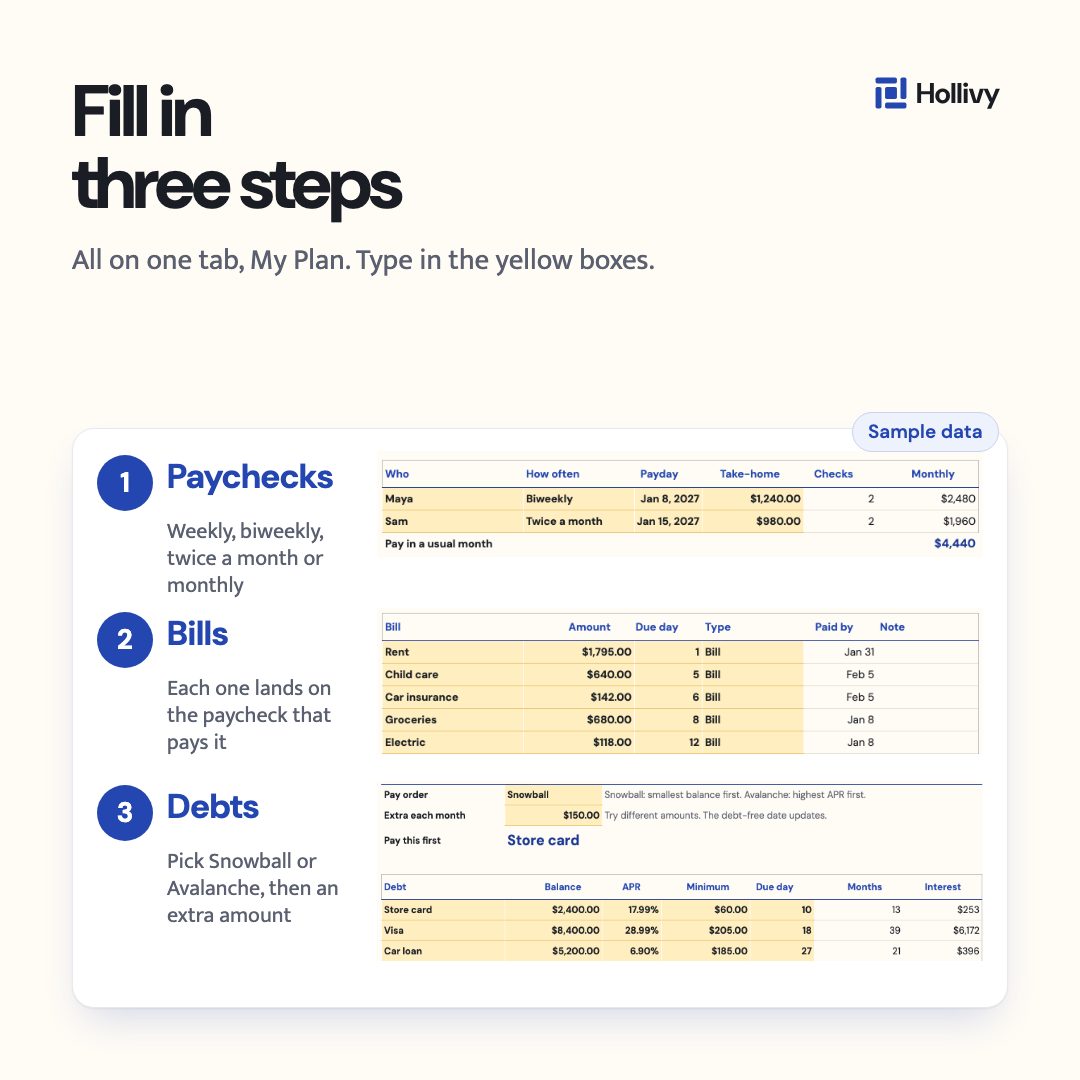
- Weekly, biweekly, twice a month or monthly
- Debts
- Snowball or Avalanche, interest included
Educational tool, not financial advice.
Sample dataNumbers from a made-up household.
What the sheet shows you
Payday stops being a guess.
Type in your paychecks, bills and debts once. Each bill lands on the paycheck that pays it, so you see a tight paycheck before it arrives. A Fix first list flags the top problems in your plan.
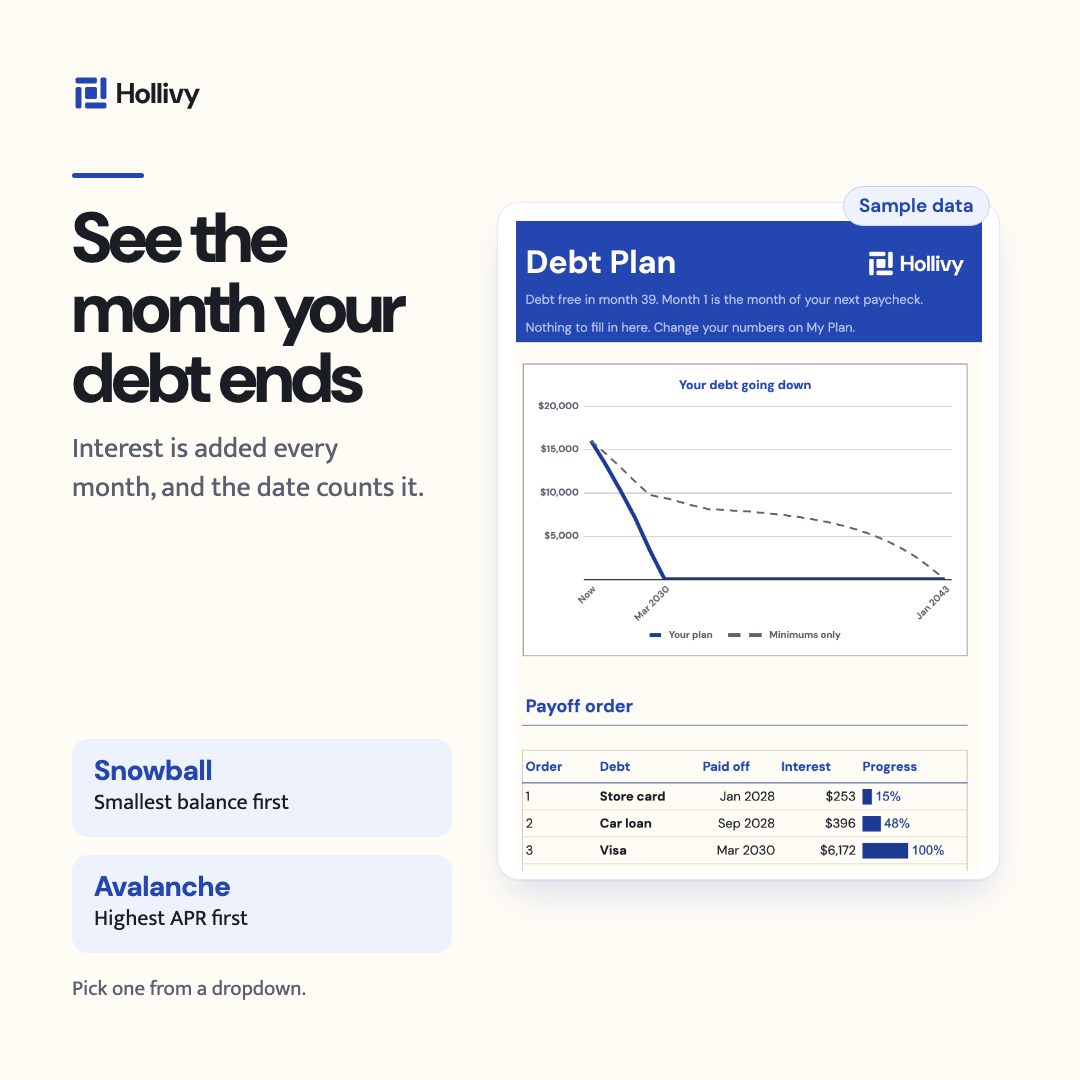
See what paying only the minimums costs you.
Pick Snowball (smallest balance first) or Avalanche (highest APR first). Interest is added every month, and the sheet shows your debt-free month and the interest you save compared with paying only the minimums.
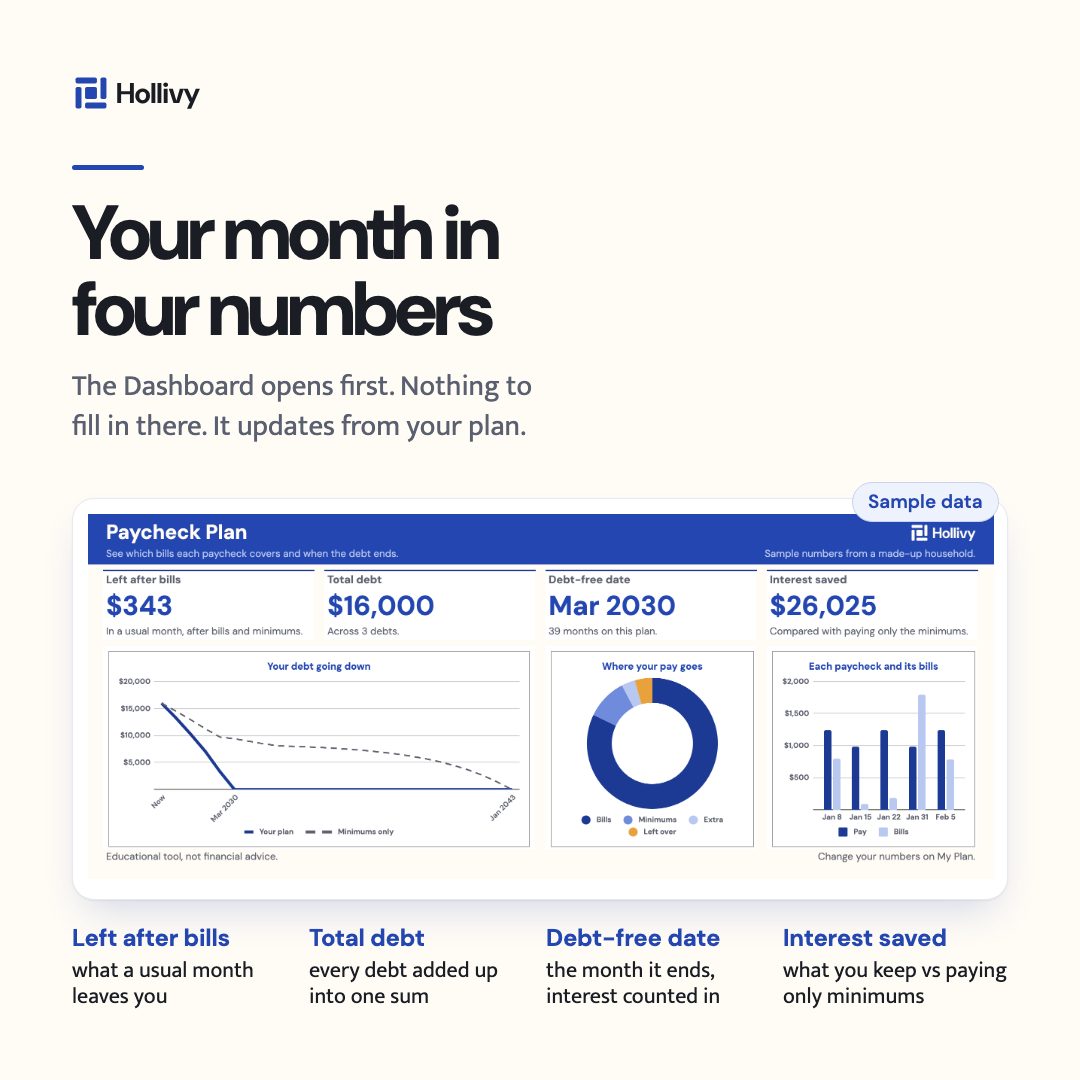
Your month in four numbers.
Left after bills, total debt, debt-free date and interest saved, with three charts. Nothing to fill in there. It updates from your plan.
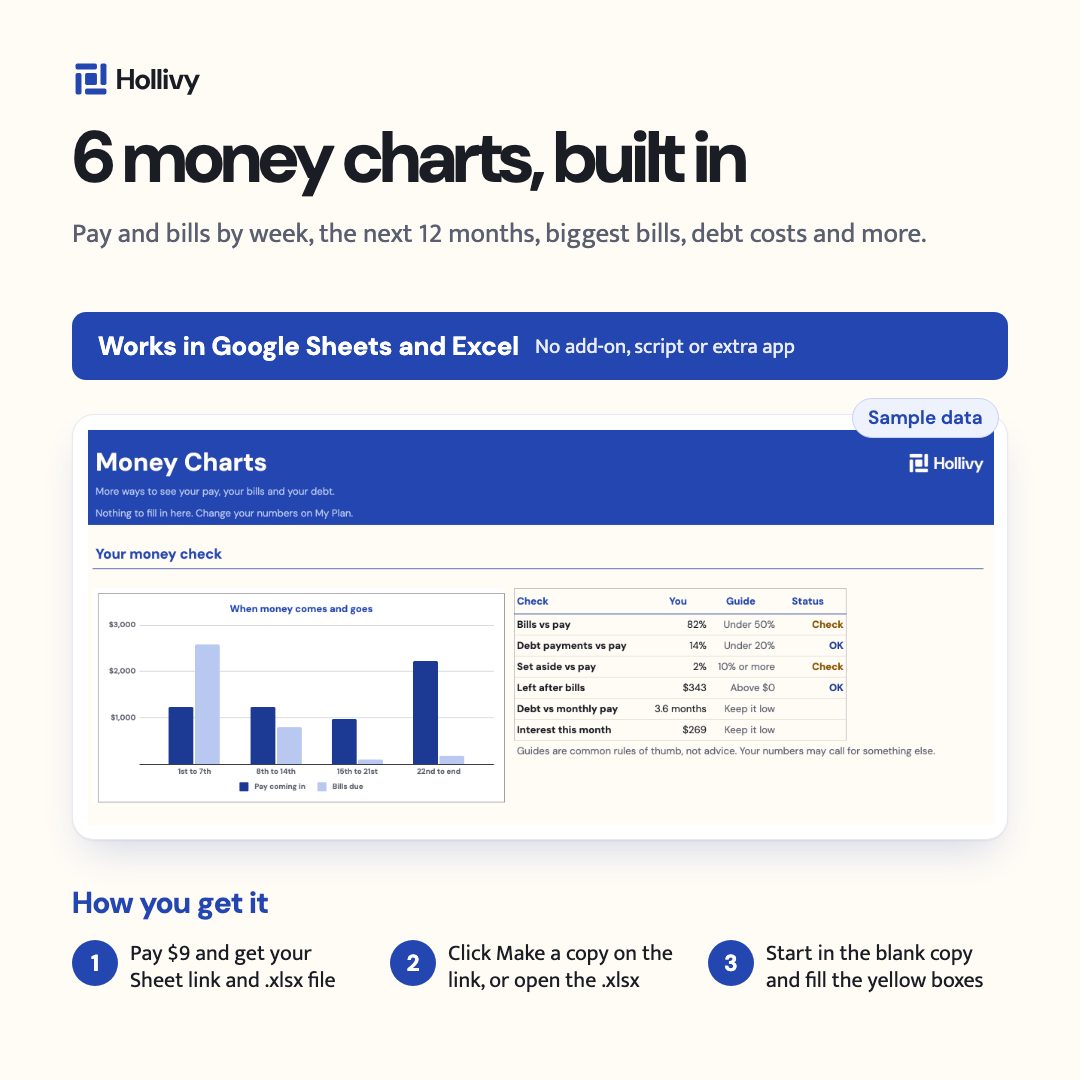
Find out what $50 more a month does.
Six charts, each with its table: pay and bills by week, the next 12 months, your biggest bills, what each debt costs, and what happens if you pay $50, $100 or $200 more.
Every picture uses sample data from a made-up household.
How it works
- 1Copy itOpen the PDF. Click “Make a copy” for Google Sheets, or get the .xlsx for Excel.
- 2Add pay and billsOn My Plan, add paychecks, then bills, then debts. Start in the blank copy.
- 3See every checkThe Dashboard updates from your plan: each paycheck, its bills and what is left.
Everything you get for $9
- 5 tabs: Dashboard, My Plan, Debt Plan, Money Charts and Help
- Snowball or Avalanche payoff, with interest added every month
- Fix first list that flags the top problems in your plan
- Blank copy and sample copy, so you can see a filled-in plan first
- Google Sheets and Excel: a “Make a copy” link plus an .xlsx file
- Room for 15 bills, 6 debts and 10 paychecks in the month ahead
- 7-day refund if it does not work.
- No bank connection. You type it in.
- One payment. No subscription.
Questions
Is it for Excel or Google Sheets?
Both. You get a Google Sheets “Make a copy” link and an .xlsx file for Excel.
Do I need to connect my bank?
No. Everything is typed in by hand. It does not connect to your bank.
I get paid weekly or every two weeks. Does it work?
Yes. Weekly, biweekly, twice a month and monthly pay all work. Months with 3 paychecks show up in a 12-month table.
Is it a subscription?
No. One payment, tax included. The sheet is yours to keep.
What if it does not work?
Write to support@hollivy.com. Refunds within 7 days if the file does not work.
Do I need an add-on or another app?
No add-on, script or macro. Just the sheet.
Does the debt-free date count interest?
Yes. Interest is added every month, for Snowball and Avalanche alike.
Is this financial advice?
No. It is an educational tool, not financial advice.
See which bills each paycheck covers and when the debt ends.
- 7-day refund if it does not work.
- No bank connection. You type it in.